Manifestinguides
Advisor Guide - Connect with Advisors through Chat, Voice & Video
📋 Table of Contents
1. Sign In Screen 2. Verification Screen 3. Home Dashboard 4. Chat Screen 5. Earnings Summary 6. Custom Date Earnings 7. Video/Audio Calls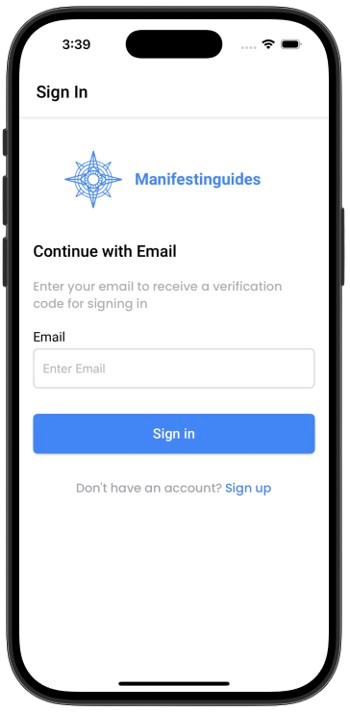
Sign In
Enter your email to sign in and receive a verification code.
- Enter valid email
- Click Sign In to receive OTP
- Use the Sign Up link if you're new
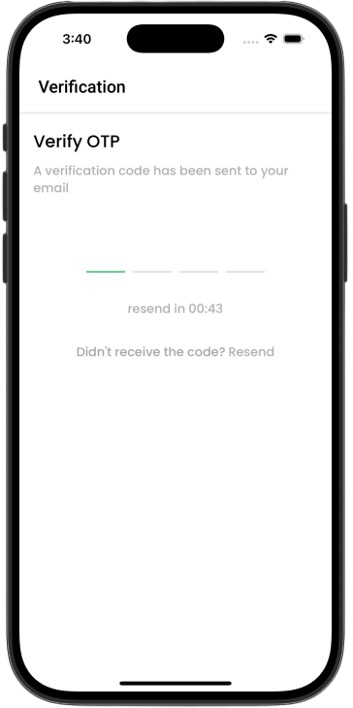
Verification
Enter the OTP sent to your email to verify and complete login.
- Enter 4-digit code
- Wait for timer to resend if needed
- Make sure to check spam folder
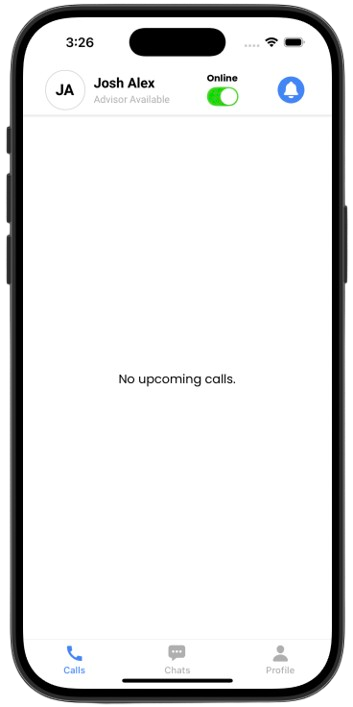
Home Dashboard
View your availability status and upcoming appointments.
- Set availability (Online/Offline)
- Upcoming calls displayed
- Quick access to Calls and Chats
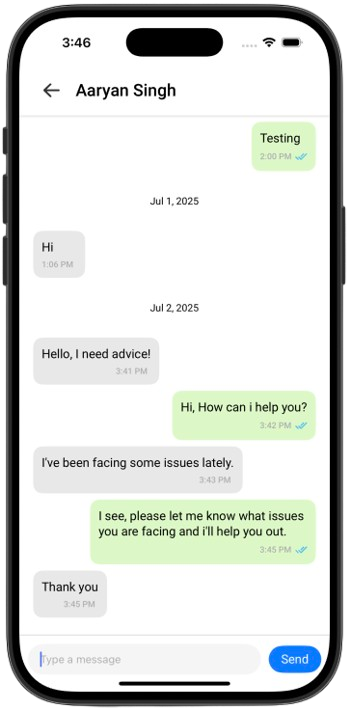
Chat
Text communication interface with message bubbles and history.
- Real-time updates
- Read receipts
- Date-based message grouping
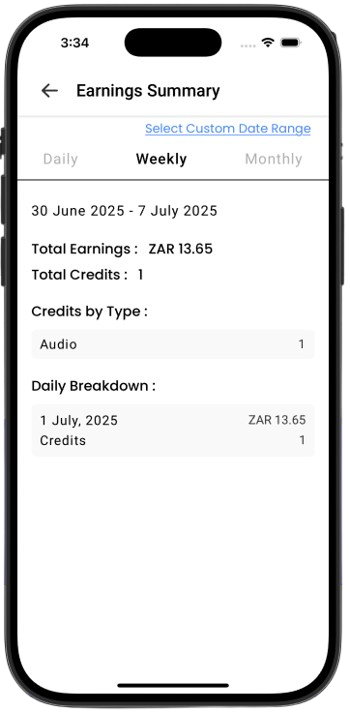
Earnings Summary
Track your daily and weekly income based on completed sessions.
- Credit earnings by type: Chat / Voice / Video
- Automatically updated
- Shows completed and missed sessions
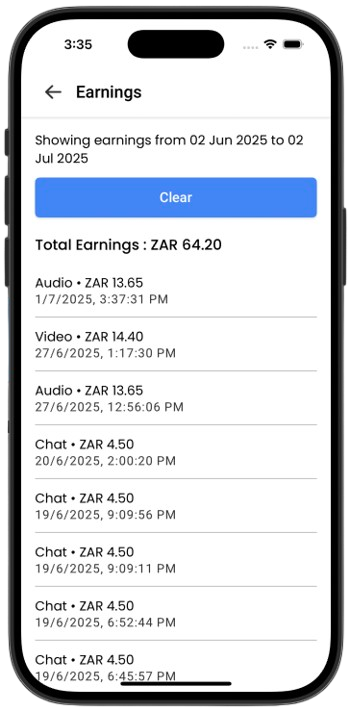
Earnings - Custom Date
Select a specific date range to analyze your earnings.
- Choose start and end date
- Breakdown by video/audio/chat type
- View total earnings
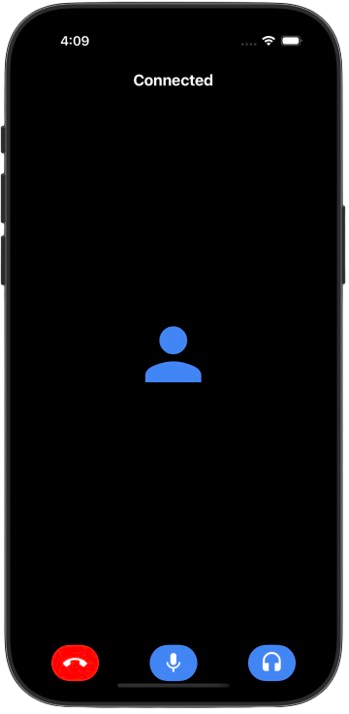
Live Audio/Video Calls
Manage your call sessions with built-in audio/video controls.
- Mute, change audio methods, end call
- Join as video or audio-only
- Session duration shown in real-time