Manifestinguides
User Guide - Connect with Advisors through Chat, Voice & Video
📋 Table of Contents
1. Sign In 2. Verification 3. Sign Up 4. Home Dashboard 5. Advisor Details 6. Connect 7. Packages 8. Payment 9. Payment Success 10. Chat 11. WebView 12. Transactions 13. Call History 14. Video/Audio Calls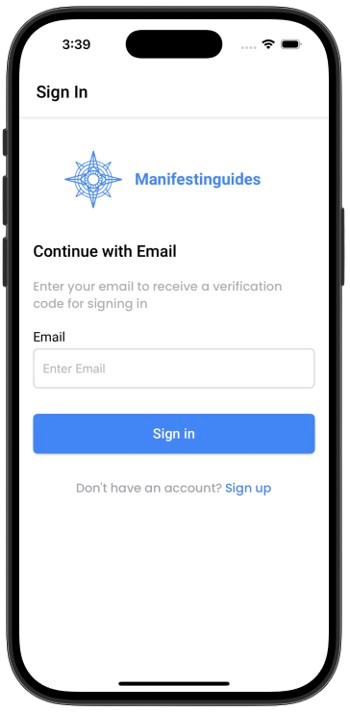
Sign In
Enter your email to sign in and receive a verification code.
- Enter valid email
- Click Sign In to receive OTP
- Use the Sign Up link if you're new
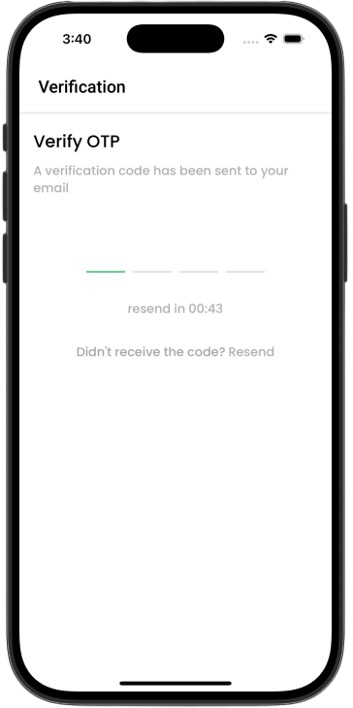
Verification
Enter the OTP sent to your email to verify and complete login.
- Enter 4-digit code
- Wait for timer to resend if needed
- Make sure to check spam folder
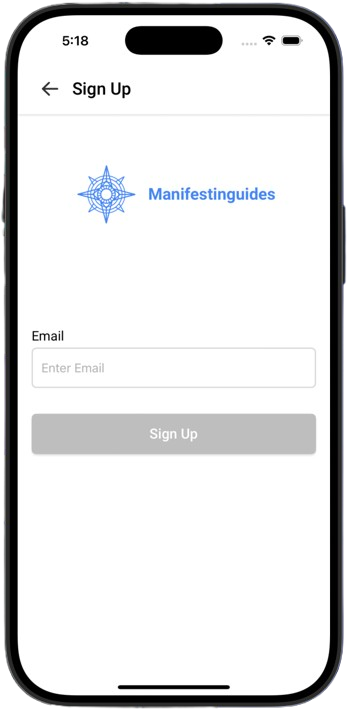
Sign Up
Create a new Manifestinguides account using your email address.
- Enter your email
- Tap Sign Up to receive a verification code
- Use back button to return to login
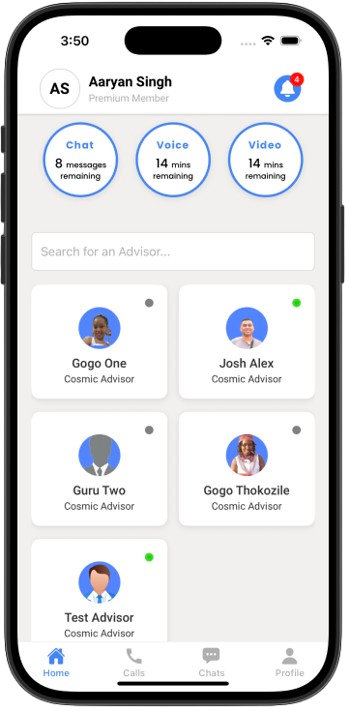
Home Dashboard
View your credits, upcoming appointments, and explore advisors.
- Credits for chat, voice, video
- Appointment countdown
- Advisor search and list
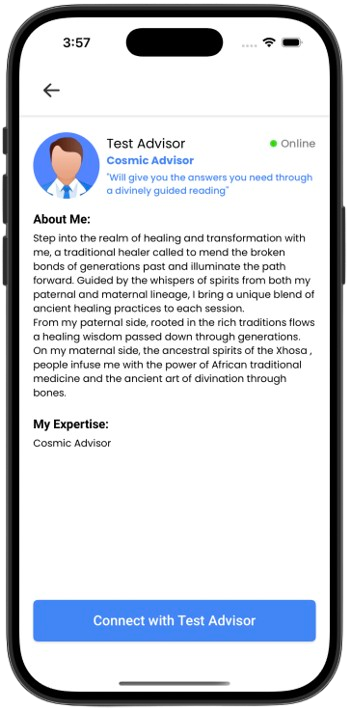
Advisor Details
View full advisor profile, biography, expertise, and availability.
- See specialization and experience
- Online/offline status
- Click Connect to begin session
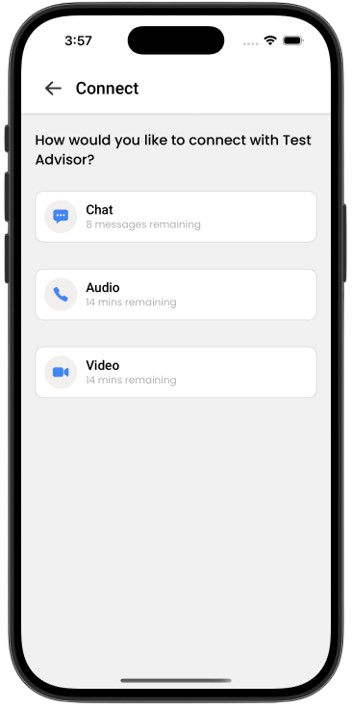
Connect
Choose your communication method with the advisor.
- Chat
- Voice Call
- Video Call
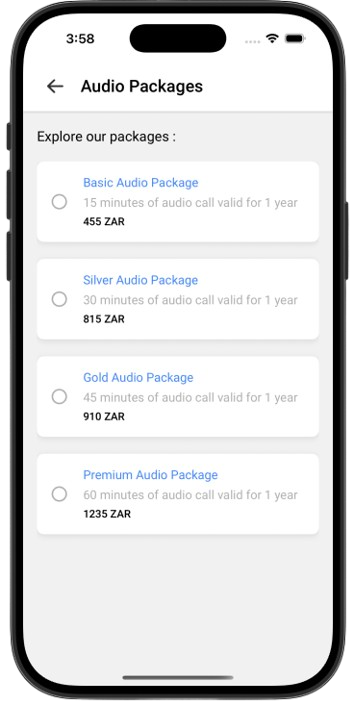
Packages
Select and purchase credit packages for chat, voice, or video.
- Radio buttons for selecting packages
- Prices shown in ZAR
- Proceed to payment
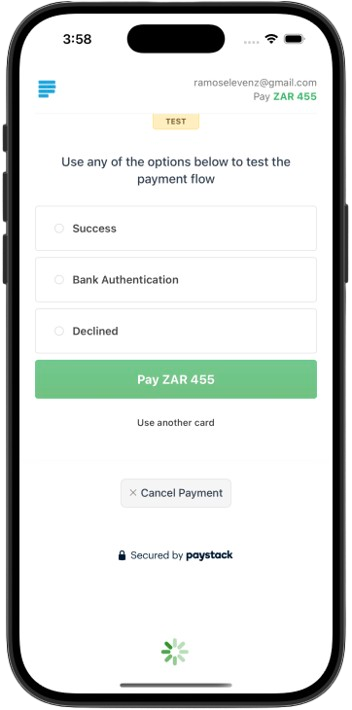
Payment
Complete secure payment via Paystack gateway.
- Starts automatically
- Billing email prefilled
- Return to app after success
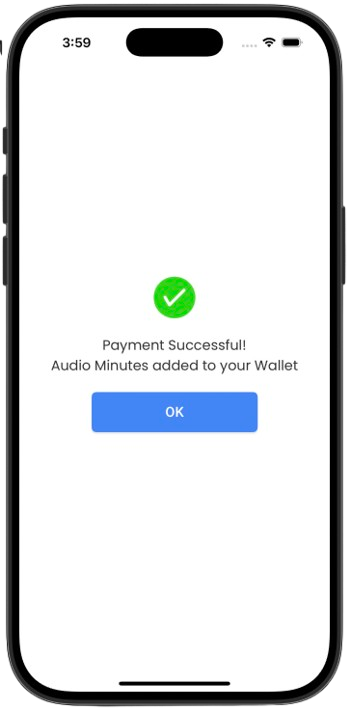
Payment Success
Confirmation message with credit wallet update.
- Green check confirmation
- Auto route to call or chat
- Shows chat, voice, or video credit type
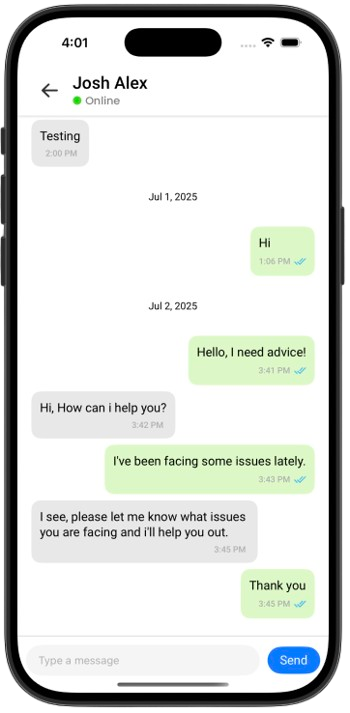
Chat
Text communication interface with message bubbles and history.
- Real-time updates
- Read receipts
- Date-based message grouping
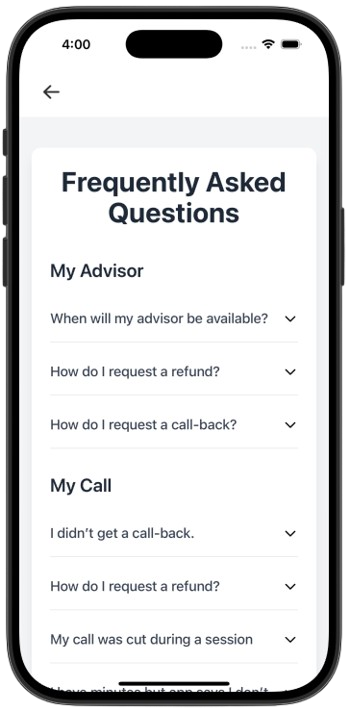
WebView
Display static content like Terms or About inside a web page view.
- About Us
- Terms of Use
- Privacy Policy
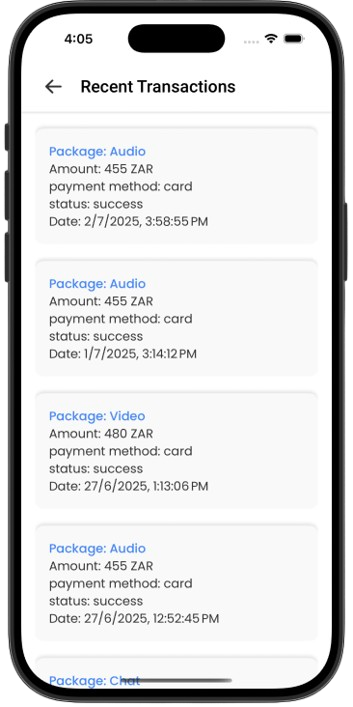
Transaction History
Review past purchases and payment logs.
- Payment date
- Amount & package name
- Transaction status
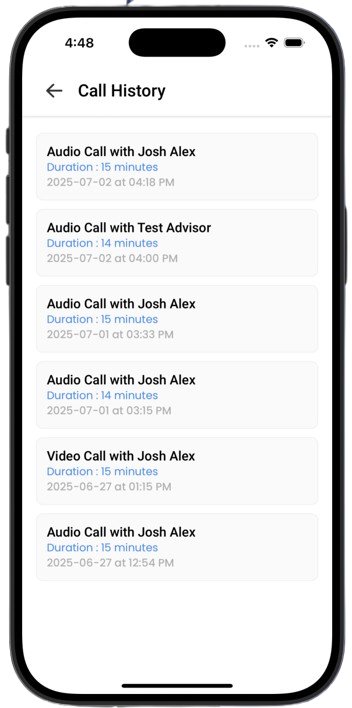
Call History
Track previous video and audio sessions with advisors.
- Call type
- Advisor/User Name
- Duration and timestamps
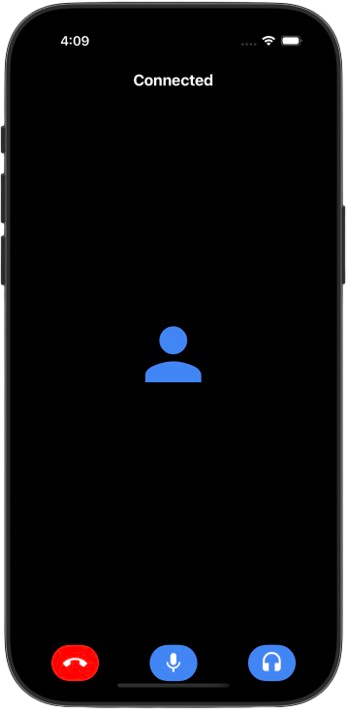
Live Video & Audio Calls
Interactive call UI powered by Twilio with mute, end, and audio controls.
- Full screen for video
- Audio-only mode
- Participant grid view